


Alerts from website monitoring on Discord
Discord integration
Super Monitoring alerts can be displayed on a selected channel on your Discord server.
How it works
Super Monitoring allows you to send alerts via webhooks to a specified URL. If this is a URL within the discord.com domain, the transmitted data is formatted appropriately for Discord.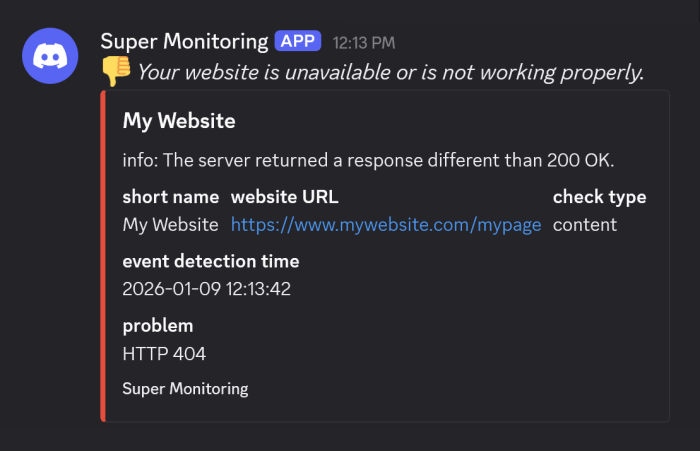
Configuration

- In Discord, go to your server settings, then to “Integrations” and next to “Webhooks”.
- Click “New Webhook”, give it a name (e.g. “Super Monitoring”), and select the channel where alerts should appear.
- Copy the webhook URL to the clipboard and click “Save Changes”.
- Create a new webhook in the “Contacts” section of the Super Monitoring panel by pasting the previously copied URL and assigning a name to the webhook.
- In the configuration of the selected tests, enable sending alerts to the new webhook.
« back to feature list