Top 7 Windows MDM solutions for businesses in 2026
A Windows laptop needs a security update, but its owner is not in the office. Another device is waiting for its new user, but it lacks the necessary business apps and security settings. IT teams across the organizations handle these issues and numerous other tasks as they work to organize, maintain, monitor, and secure Windows devices.
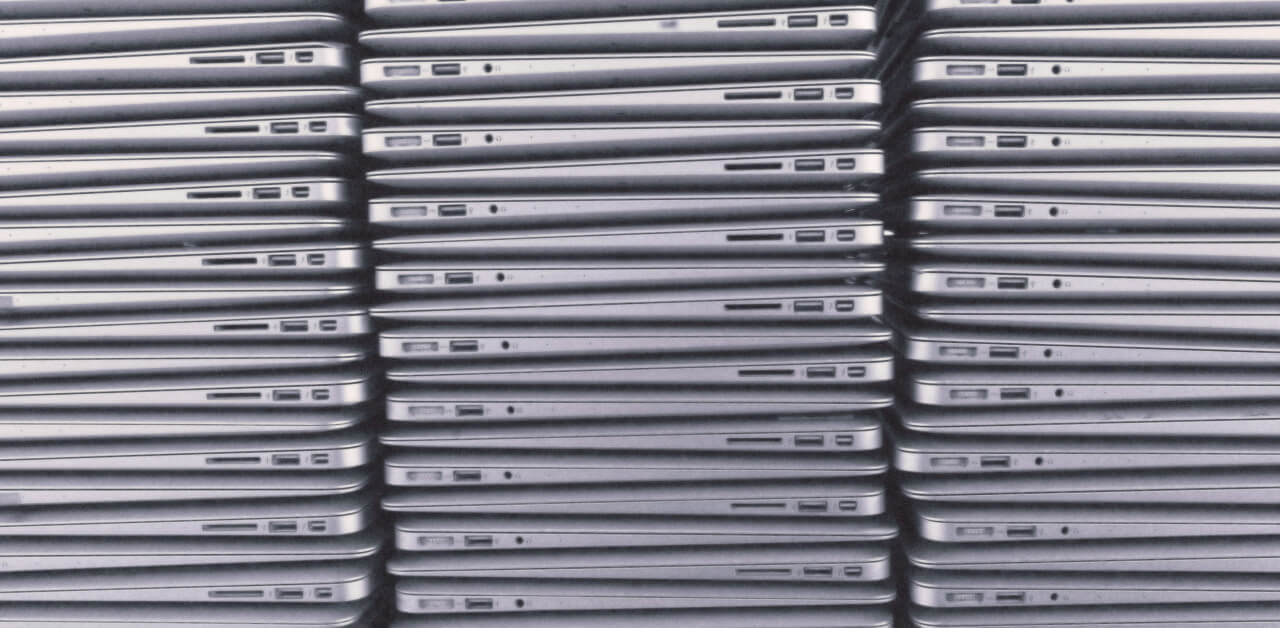
These are just a few responsibilities of an IT department in any company. However, as the number of devices grows, the process of keeping them all organized and updated becomes more challenging.
Windows mobile device management (MDM) solutions let IT administrators enroll Windows devices, deploy applications, enforce security settings, and troubleshoot issues. Vendors offer various tools, and the list of necessary features will differ depending on the organization’s needs.
This article reviews the seven most popular Windows MDM solutions in 2026 and analyzes the management options they provide.
7 Best Windows MDM solutions for your business
1. Scalefusion MDM

Scalefusion MDM helps organizations enroll, configure, secure, and monitor Windows endpoints, including specialized devices, operating in different environments.
IT administrators can enroll Windows devices using Windows Autopilot, deploy applications, and define settings without handling every single laptop or PC. The solution also offers Windows kiosk mode, which is helpful for delivering restricted access to certain apps for retail and other specific purposes.
Moreover, Scalefusion MDM gives administrators several tools for Windows device management. These include PowerShell scripts and Remote Commands that let an IT professional send commands to managed devices, Windows Live Terminal, which gives remote command-line access to Windows devices, and Remote Cast & Control for remote troubleshooting.
Organizations can also use the solution for Windows OS and third-party application patch management. Additionally, Scalefusion MDM allows deploying Windows MSU packages to update Windows systems.
Features:
- Windows Autopilot, app deployment, and kiosk mode
- OS and third-party application patch management
- BitLocker configuration and password policies
- Remote Cast & Control and Remote Command
- Windows Live Terminal and PowerShell
Who it is for: Organizations that need comprehensive Windows device management and want to enforce restrictions and policies, automate patch management, and troubleshoot issues remotely and at scale.
G2 rating: 4.7 / 5
2. Microsoft Intune

Microsoft Intune is an MDM solution that is helpful for organizations that already use products from the Microsoft ecosystem. Microsoft 365, Entra ID, and Windows Autopilot integration makes this solution ideal for businesses that want to combine device management with security and productivity tools offered by this software vendor.
Microsoft Intune gives administrators the option of using Windows Autopilot to configure Windows devices, deploy applications, and restrict and configure devices in accordance with the organization’s standards and regulations.
Administrators can also define device compliance rules and use them in Conditional Access rules in Microsoft Entra ID. Microsoft Intune offers Windows update rings to help IT specialists manage the updates on all devices. Update rings give administrators the ability to organize updates into groups instead of having all devices receive the same operating system updates at once.
Features:
- Windows Autopilot deployment
- Device configuration and compliance rules
- Windows update rings and policies
- Microsoft Entra ID integration
- Remote device troubleshooting and operations
Who it is for: Organizations that already use Microsoft 365 or Entra ID and want to integrate Windows device management into their existing systems.
G2 rating: 4.5 / 5 (Microsoft Intune Enterprise Application Management)
3. ManageEngine Mobile Device Manager Plus
Some businesses prefer to use cloud-based MDM solutions, while others opt for on-premise management tools. However, an option that covers both sides might offer more benefits than a traditional on-premises or cloud-based solution. This is the main advantage of the tool developed by ManageEngine.
The MDM solution covers all aspects of device management. It offers tools for managing Windows, Android, and iOS devices, including enrollment, application deployment, device restriction, and inventory. The solution gives administrators the ability to enroll Windows devices using Windows Autopilot and configure these devices with the required applications, restrictions, and settings.
The tool’s flexibility is its main advantage, as it provides options that are not usually available in similar MDM solutions. This is especially important for organizations that are unsure if they want to use cloud-based or on-premise device management software.
Features:
- Windows Autopilot deployment
- Application distribution and restriction policies
- Inventory and compliance reports
- Remote troubleshooting and device operations
- Cloud-based solution with on-premise option
Who it is for: Organizations that want comprehensive device management capabilities for Windows and other platforms and explore cloud-based and on-premise options.
G2 rating: 4.5 / 5
4. NinjaOne
Keeping devices updated is an ongoing process, and this is especially true for Windows systems. The main advantage of the device management solution from NinjaOne is that it was developed primarily for remote monitoring and management of devices. IT administrators can use the RMM (remote monitoring and management) tools, automate repetitive tasks, and update Microsoft Windows systems and third-party software.
Administrators can also use remote tools to access devices, troubleshoot issues, and execute scripts. Reporting and alerting options give administrators the ability to review the inventory and problems with devices.
The approach is primarily different from traditional MDM solutions in that it is more oriented towards troubleshooting and patch management than device enrollment and configuration. The tools are suitable for small organizations as well as large enterprises that require a comprehensive approach to the maintenance and update of their devices. This is primarily why MSPs (managed service providers) may be the target audience for this software.
Features:
- Windows device update management
- Automation and remote device operations
- Remote device troubleshooting and scripting
- Inventory and device reporting
- Remote monitoring and management
Who it is for: MSPs and internal IT departments that want to monitor devices and perform essential device maintenance and update tasks.
G2 rating: 4.7 / 5
5. SureMDM by 42Gears
Not all organizations have the same requirements for managing Windows devices. For example, companies that operate in the retail sector typically require specialized tools for configuring devices used in warehouses and stores. Such software is often not included in traditional MDM solutions designed for enterprise-level management of devices in corporate environments.
This is the primary advantage of SureMDM from 42Gears. The solution is useful in particular for organizations that need to use the same software to manage both Windows devices and other devices, including Android, iOS, Mac OS, and Linux.
The solution also includes a number of tools for managing other types of devices, including rugged devices used in warehouses and stores. Administrators can use the software to configure devices, distribute applications, and enforce restrictions.
Administrators can also perform device restriction, device reporting, remote troubleshooting, and remote device operations. The approach is appropriate for companies that require the management of a variety of devices, such as Windows computers in corporate offices and rugged devices in warehouses or stores.
Features:
- Windows device configuration and management
- Application distribution and restrictions
- Remote device operations and troubleshooting
- Inventory and compliance reporting
- Automation tools for IT administrators
Who it is for: Organizations that need to manage a variety of devices, including rugged and specialized devices, in different environments.
G2 rating: 4.7 / 5
6. LogMeIn Miradore

Not all companies are looking for extended tools for managing Windows devices. For some organizations, the most critical aspects of device management include ensuring appropriate security settings, performing routine maintenance, and keeping an inventory of all devices.
In this regard, LogMeIn Miradore is an MDM solution that is oriented primarily towards managing Windows devices in an enterprise environment rather than offering extended tools for automating and regulating the operation of various devices.
Administrators can use this solution to enroll devices and configure the necessary settings. The solution also offers tools for application management and remote administration. IT administrators can perform basic maintenance tasks on devices and keep an inventory of all devices in one place.
LogMeIn Miradore is ideal for small companies because it does not require a separate on-prem server to manage all devices. Thus, it is sufficient to use the tools provided in the cloud.
Features:
- Cloud-based device management
- Inventory and device configuration
- Application management
- Remote device operations
- Automation and reporting tools
Who it is for: Small and medium-size organizations that want to manage devices in a corporate environment without the complexity of enterprise-level tools.
G2 rating: 4.6 / 5
7. Iru
Many companies have two separate areas: device management and identity security. Identity security typically refers to protecting user data, while device management focuses on inventory, maintaining, and updating devices. These two areas are usually handled by completely different software.
However, some vendors offer tools that allow administrators to take a more integrated approach to managing the two.
Iru combines these two areas, offering a more comprehensive approach to IT management and security. Administrators can use the tools to configure Windows devices, enforce restrictions, distribute applications, inventory devices, and perform maintenance and update tasks.
The solution also includes tools for automating administrative tasks that an IT administrator would have to perform manually. The primary advantage of these tools is their integration into the broader security system.
Features:
- Windows device management and configuration
- Application distribution and update management
- Inventory and maintenance tools
- Automation and restriction policies
- Identity and security tools
Who it is for: Organizations that want to use integrated tools to manage device maintenance, inventory, and identity and security settings.
G2 rating: 4.7 / 5
How to choose the right windows MDM solution
Although the vendor websites offer extensive information about the capabilities of the software, they do not always reflect the realities of working with these tools. It is also challenging to understand how the MDM solutions will affect day-to-day operations. Therefore, before selecting the most suitable option, it is necessary to analyze the software’s capabilities and compare them with the needs of your organization.
First, analyze the features that your organization will need. Not all solutions offer the same set of tools. For example, some vendors offer extended capabilities for updating devices, while others emphasize inventory and management tools. The following list presents several factors that are worth considering when selecting a solution.
- Supported operating systems
- Enrollment and configuration
- Application management
- Security and compliance
- Remote device operations
- Licensing and scalability
It is also recommended that organizations take advantage of the opportunities for a free trial period before finalizing their decision. Although such a period is usually short, it is sufficient to get an idea of how the software works in practice. This is especially important for the inventory and update tools since these are the most frequently used functions in device management and maintenance.
Finally, before selecting the most suitable Windows MDM solution, organizations should compare the tools that are most important for their operations. It is also necessary to ensure that the selected solution offers the necessary tools for the devices that the company will use. Moreover, budget constraints and the scalability of the selected solution are also important considerations.
About the Author

Steven Chopade is an award-winning B2B content expert with over 11 years of experience crafting high-impact content for tech services, product, and other brands. He brings deep content expertise across AI, SaaS, UEM, and cybersecurity, translating complex concepts into clear, actionable insights.