
10 Essential Design Tools for Building a Professional Website Brand
A professional website is almost never the outcome of a single ingenious design choice, instead, it is the result of a number of small decisions that are kept consistent—the same typefaces are used on all the pages, colors are employed for a specific purpose, the images fit within the same visual framework, and the logo still looks correct when it is reduced to a small header logo.
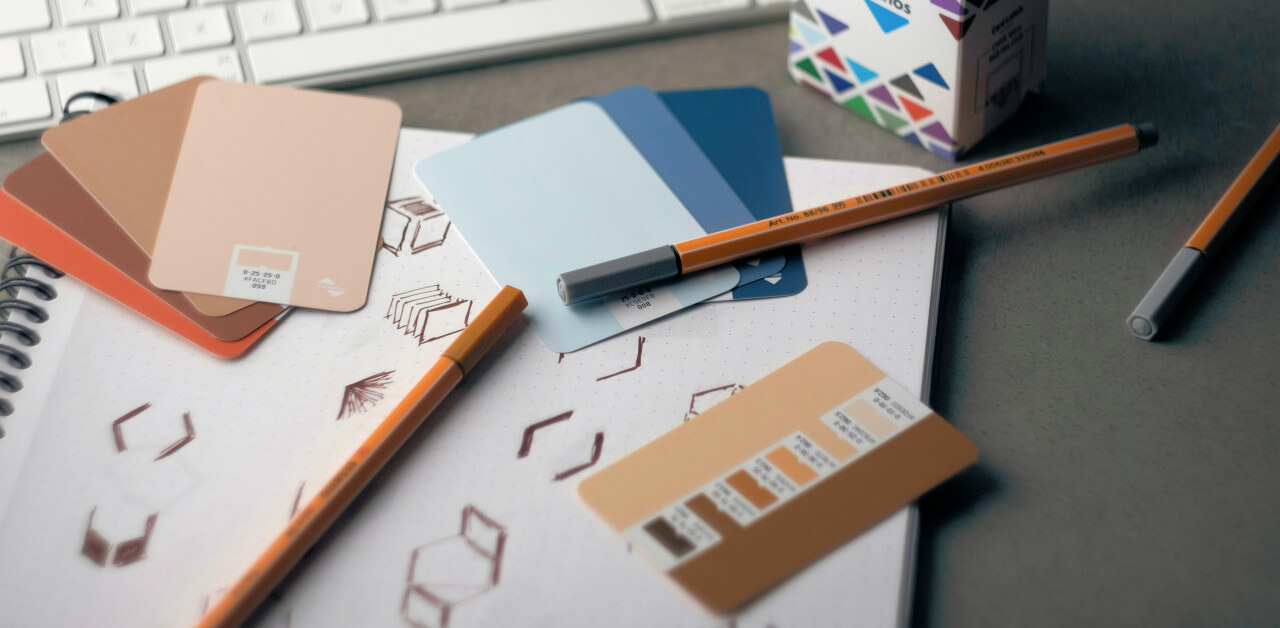
It is here that design tools prove their usefulness. They do not take the place of sound judgment and an increase in the number of such tools does not by itself result in a better brand; their true value lies in the fact that they make it easier to control various aspects of the design process.
An effective workflow for website branding could include developing the initial identity, testing different layouts, choosing the typography, establishing a color system, sourcing appropriate imagery, and finally turning the completed design into an actual website. Various tools are suited to different stages of this process.
The ten listed are so useful since they include all the necessary stages and do not call for a large design department or an unnecessarily complicated software stack.
1. Canva
Canva is useful in the situation where a brand needs to produce a large number of visual materials without having each individual design task done by a professional designer.
The value that Canva’s Brand Kit has for website branding extends beyond just creating individual graphics; it enables a company’s logos, colors, fonts, assets, and brand guidelines to be stored in one place and then reused in various designs.
It is especially useful following a website’s launch. A business might need social media graphics, presentation slides, promotional images, advertisements, downloadable documents, and other materials which should appear to have been produced by the same organization. Beginning each of these projects from scratch is an easy way to cause inconsistencies.
Canva is suitable for the less technical aspects of establishing a website’s brand image, such as preparing marketing graphics, resizing assets, producing social content, and providing non-designers with a controlled means of working within a defined visual identity.
2. Figma
Figma is more appropriate for the actual interface design of a website.
The difference is important; it is possible for a branding graphic to appear very good by itself and yet to result in a poor website. Figma enables designers to work with the relationships between various elements such as navigation, spacing, typography, buttons, cards, forms, images, and responsive layouts.
When a website has more than a few pages, the component and design-system features are particularly useful. Rather than having to recreate the same button or heading style manually, designers can create reusable components and styles. Furthermore, Figma offers prototyping, which enables teams to look at how a proposed interface will behave before it is actually built.
As a result, Figma becomes less concerned with decorating a website and more focused on defining how the website functions visually. It is also helpful in cases where designers and developers need a common reference rather than a set of screenshots being passed back and forth.
3. Adobe Express
A logo is usually the first element of a brand identity that a new business requires, but it is not always practical to arrange for a full identity package at the start of a project.
The AI logo generator available on Adobe Express is able to create logo ideas from a written description, offering the possibility of improving the results and further editing them within Adobe Express; it also permits the use of reference images to guide the visual approach.
It is therefore useful in the exploratory phase rather than considering the first generated result as a final identity; a designer or business owner can make use of a number of concepts in order to look at various approaches—such as geometric, typographic, minimal, and illustrative—before deciding which ones are worth further development.
What matters most is the work that comes after the logo has been generated. The logo still has to function at various sizes, be placed comfortably next to the navigation, remain legible when set against the right backgrounds, and match in style with the overall visual design. Although the generator can speed up the initial stage, these choices still need human judgment.
4. Google Fonts
Typography is one of the aspects of a website brand that people tend to underrate. Altering the typeface has effects that go beyond just the way individual words look; it influences the density of the page, the length of the headings, the rhythm of the paragraphs, and the amount of space needed by the navigation.
The collection of typefaces offered by Google Fonts allows designers to browse through them before deciding on a specific typographic direction.
This is usually sufficient for a small company to set up a practical type system, for example by using one family for headings and a different one for the body text, or by employing a single versatile family at various weights.
The right thing to do is not to choose the most unusual font that is available. Instead, you should test a shortlist of fonts against real website content, since a typeface which appears distinctive in a specimen can behave quite differently when it has to deal with long headlines, navigation labels, product descriptions, and paragraphs.
Typography must be able to cope with actual content.
5. Adobe Color
Adobe Color is useful in the case where a brand needs more structure in its color choices than just selecting a few colors that look attractive together.
Color tools are very useful when looking at the relationships between different hues. Rather than choosing colors separately, designers can look at complementary, analogous, monochromatic, and other types of relationships and then use these relationships to create a more consistent color scheme.
When it comes to website branding, the color scheme should also take into consideration the practical functions. For example, one primary color could be used for buttons and links, another for the backgrounds, and neutral tones for the text and surfaces. The idea is not to fill up every section of the page with brand colors. In most cases, a more restrained color palette allows the identity to have more room to breathe.
Adobe Color is best used as a tool for thinking since it enables one to turn an intuitive preference—such as the feeling that “these colors go well together”—into a palette that can be tested and reused.
6. Coolors
Coolors looks at the selection of colors in a slightly different way and is very useful when the issue is not understanding color theory but rather the need to generate and quickly compare possible palettes.
Early in a branding project such a distinction is valuable since it’s possible to know that a business should have a warm, technical, understated, energetic, or editorial feel without necessarily knowing which colors convey that kind of atmosphere.
With Coolors it is easy to look at different combinations rather than becoming fixated on the first one that happens to look good on a mood board.
There is likewise a practical advantage to testing a number of palettes on the same interface. If the colors are used in the same header, button, background, and card layout then the differences can be much more easily assessed. A palette which appears impressive when shown as five separate swatches may become fatiguing when it is applied to an entire website.
7. Unsplash

Photography has an unusually great effect on the way a website is seen, two sites which have the same layout can seem entirely different if one makes use of carefully chosen images and the other just uses the stock photographs that were easiest to find.
Unsplash is useful when you want to explore photographic styles and locate images for website projects.
The problem is maintaining consistency. Selecting ten photographs that are attractive on their own does not guarantee that a consistent visual identity will result, since one of them might have natural, soft lighting, another could be heavily edited, and a third might have a completely different composition.
A more effective method is to set up a visual preference prior to gathering the images. You should search for repeated features such as lighting, color temperature, the distance of the subject, the way the image is composed, or how the background is handled. After these characteristics have been determined, image selection becomes an integral part of the brand rather than something added as a decorative finish.
8. Font Awesome
Icons may seem like a small interface feature until a website has many icons. Once that happens, the inconsistent shapes and visual weights of the icons become rather obvious.
The website Font Awesome includes a wide range of icons which can be used in various interfaces and other digital materials.
The primary benefit when it comes to branding is consistency. Instead of gathering a variety of icons from different sources, a website can develop a specific style of icon and then use it for navigation, for features, for contact details, for the social links and for all other interface elements.
It’s an instance of a situation in which some restraint is called for. An icon ought to serve to make the interface clearer, not go against the content. Moreover, employing a consistent set gives the site the impression that it has been deliberately designed, even though visitors tend to notice very little about the icons themselves.
9. Webflow
After the visual identity has been set up, it must endure the implementation phase. Webflow is suitable for teams who want a great deal of visual control when they are building and managing the real website.
Webflow brings design and the creation of websites much closer together than does a workflow that relies entirely on static design files, which in turn makes it easier to judge whether the spacing, typography, components, and responsive behavior that were imagined during the design phase actually function on an actual website.
The tools it now offers also include an AI site builder that is able to create an initial multi-page site structure on the basis of a description, after which the structure can be modified.
What matters more in the context of branding is not the automation itself, but the ability to transfer a visual identity into an actual website rather than regard the implementation as a completely separate stage.
10. Framer

Framer adopts a comparable visual methodology and is especially appealing to designers who wish to go from a visual idea to a published website quickly.
The workflow that Framer now offers includes a visual canvas together with responsive layouts, CMS features, SEO settings, hosting, and the ability to publish. Designs can start off with a blank canvas, a template, a prompt, or an existing Figma design and then be improved visually.
It is therefore suitable for brand-oriented websites since the way the site is presented is an important aspect of the product, for example portfolios, agency websites, the launches of start-ups, marketing pages, and other types of site where typography, spacing, animation, and visual hierarchy are relevant.
It also shows a significant change in modern web design, namely that the distinction between ‘designing the website’ and ‘building the website’ is becoming less strict. For smaller teams, the ability to switch between these tasks without having to carry out a major handoff can result in considerable time-savings.
Putting the tools together
The ten tools listed above do not constitute a mandatory software stack; in reality, most projects have no need for all ten.
A small business could create its initial logo using Adobe Express, select its typography from Google Fonts, choose its color scheme with Adobe Color or Coolors, obtain its photographs from Unsplash, and use Canva for its everyday marketing materials. Members of a product team would usually spend their time in Figma before moving on to Webflow or Framer for implementation.
What is important is the relationship between the tools.
A brand attains recognizability to the extent that its various decisions support and reinforce one another. The logo must go together with the typography, the typography should be compatible with the layout, the color scheme should match the photography, the icons should seem to belong to the same interface, and when it comes to the website itself the decisions should be kept unchanged rather than being substituted by the default settings that the development platform offers.
That is the reason why the most effective design workflow is not necessarily the one which uses the greatest amount of software, but the one that makes key decisions visible and repeatable.
A professional website brand is in the end a system, and the various tools merely make it easier to create, test, maintain and extend that system.
About the Author

Vahan Manjikian is a Digital Marketing Analyst and Content Writer at Linkyjuice. He brings more than seven years of experience in digital marketing and content creation to his work. Vahan is passionate about using data and new technology to help brands strengthen their digital presence and better connect with their audiences.