Best Maintenance Plugins for WordPress with Online MIS Tracking and Analytics
Anyone who takes their online appearance seriously needs to make sure their website runs well and they can keep track of uptime. If you’re a developer, digital marketer, or site owner, it’s important to be able to see how your server and network are doing so you can avoid outages and interruptions that cost you money.

WordPress plugins and cloud monitoring tools are finally coming to the rescue. They include dashboards that are easy to use and sophisticated capabilities that make website maintenance and analytics smarter and give you real-time insights.
This guide has some of the top WordPress monitoring and maintenance plugins you can discover. Each one has links to official resources and example screenshots that make it easy to pick the correct tools for creating your own online management system.
Why WordPress Maintenance Matters in Online MIS
Every month, over 409 million people view more than 20 billion WordPress pages, with over 70 million new posts and 77 million new comments. Therefore, maintenance is a big deal in keeping your websites live.
Today’s online management systems keep a close eye on everything, from server uptime and plugin updates to resource utilization and visitor behavior. When you pick the right mix of maintenance plugins and monitoring tools, you get:
- Real-time updates on the health of your WordPress site, server, and network.
- Automated tracking and reports that turn data into smart insights.
- Reduced risks and easier compliance with standards.
- Easy-to-understand dashboards that keep your web team and stakeholders in the loop.
For site owners, the journey begins with selecting the most reliable plugin to meet your maintenance, health, and analytics needs. This may entail enrolling in online MIS degrees to further their knowledge and skills.
Top WordPress Maintenance Plugins of 2026
According to W3Techs, WordPress powers 44% of all websites, while CMSs have a market share of 61%. It’s important to use the correct WordPress maintenance plugin to keep your site organized, safe, and easy to use, even while you’re making changes or fixing things behind the scenes.
The finest plugins make it easier to turn on maintenance mode, let you customize templates, and provide sophisticated uptime and analytics capabilities that assist web professionals keep their sites up to professional standards and cut down on downtime.
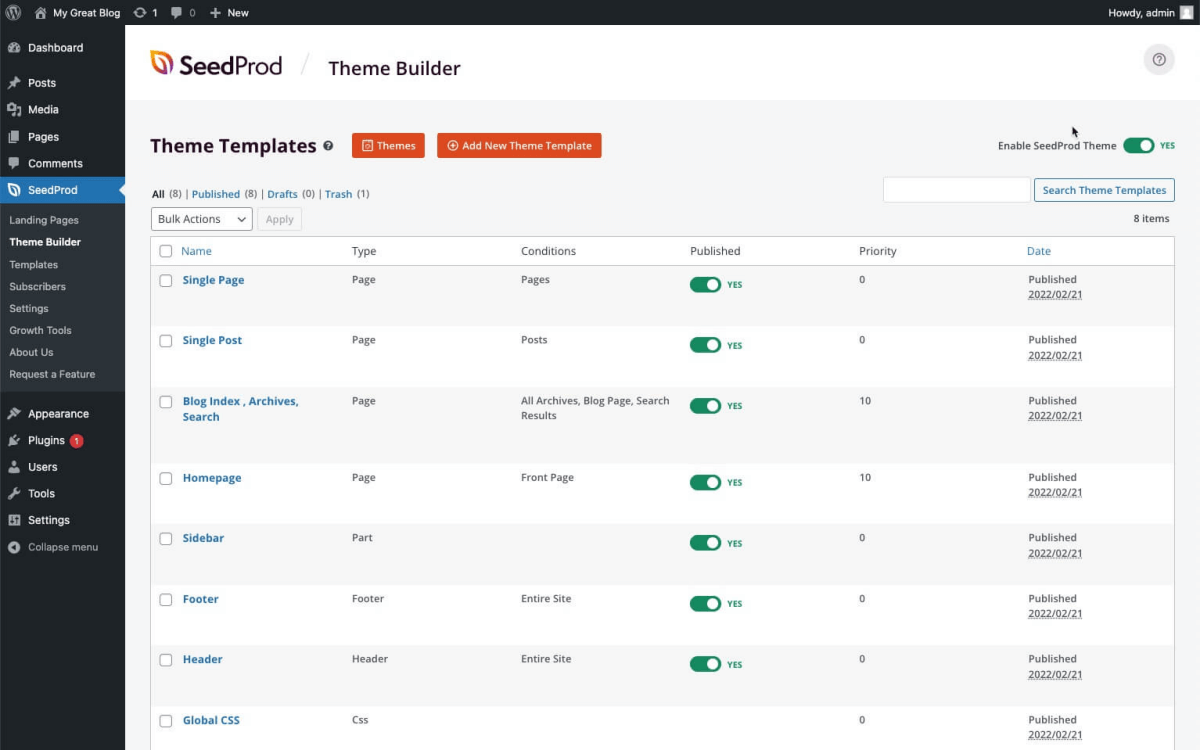
1. SeedProd: Maintenance Mode & Proactive Site Updates

One thing that sets SeedProd apart is how easy it is to move between maintenance, coming soon, and live modes. It features templates that work well on all devices, can be set up quickly, and works with WooCommerce and other email marketing tools.
SeedProd can do more than simply simple maintenance. It also provides more complex features, such as the ability to stop spam on “coming soon” pages, connect email marketing with Mailchimp and Constant Contact, and let logged-in users do different things while the site is being updated.
These qualities make it a must-have for dealing with short periods of site outage, building excitement, and obtaining leads during site launches or redesigns. People who don’t know how to code may still keep their branding the same while the main site is down, thanks to the drag-and-drop builder that is straightforward to use.
2. CMP: Coming Soon & Maintenance Plugin

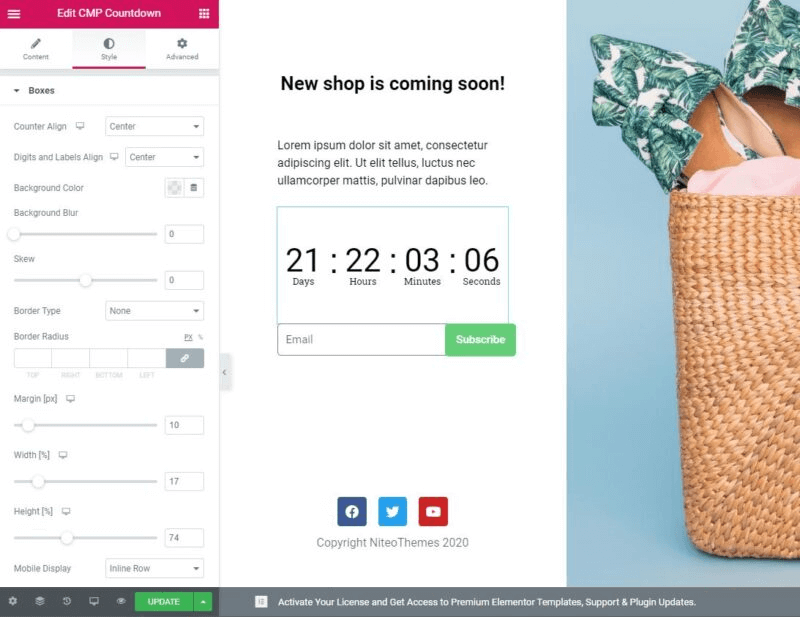
CMP is the best free way to rapidly put your WordPress site into maintenance mode. With configurable layouts and detailed controls, even people who don’t code may rapidly change the status of their site.
CMP’s best feature is its large integration ecosystem, which makes it easy to link to prominent SEO plugins, Google Analytics, and contact form solutions. This is a great option for companies that want to keep their marketing and tracking going even while their systems are down for repair.
It also has the ability to limit access with passwords or IP whitelisting, which adds another layer of control and protection. This makes sure that only authorized users can get to the site while it is being updated or maintained.
3. LightStart (WP Maintenance Mode)

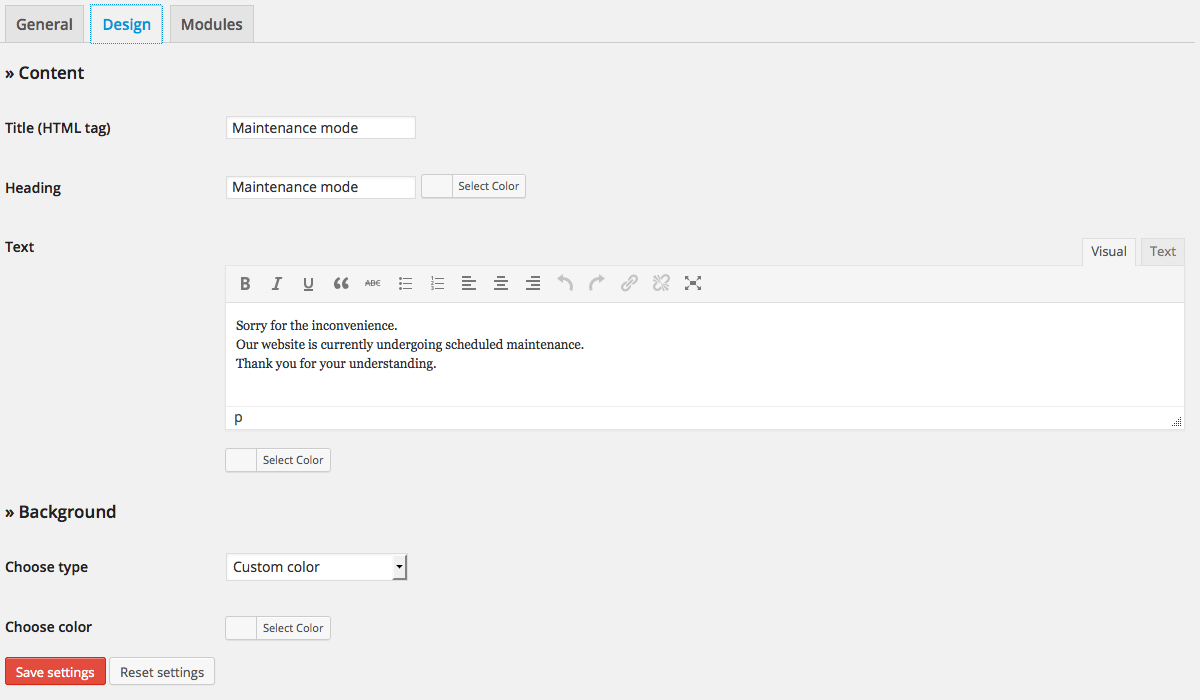
LightStart has a fast user interface and valuable features like personalized maintenance messages, countdown timers, and connections to key analytics platforms that make it easy to set up quickly.
LightStart also has a maintenance solution that is light and doesn’t slow down your website. You can make a maintenance page that works for everyone, no matter what language they speak or what device they use, because it works with page builders and multilingual plugins.
LightStart’s analytics integration also lets you keep track of how many people are using your site while it’s being worked on, which gives you useful information for making improvements after the launch.
Site Monitoring & MIS Tracking Plugins
You need monitoring plugin to keep an eye on the health, performance, and actions of users on your WordPress site. Web professionals can make sure their sites are always up and running, find problems fast, and make smart decisions that keep their sites running smoothly and safely by using MIS tracking and analytics tools.
1. WP Activity Log: User Action Observability

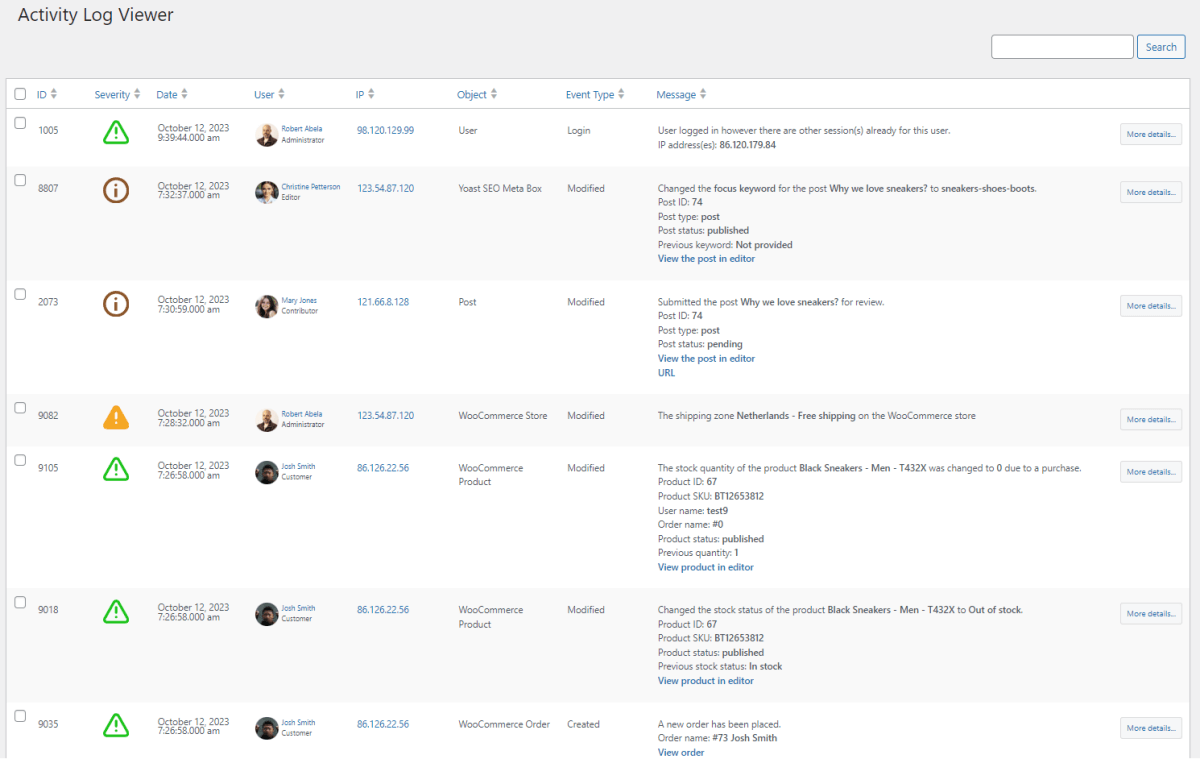
WP Activity Log is the best plugin for keeping track of all user activity. This makes it very useful for compliance, security, and management based on data in your online MIS. It keeps track of user logins, changes to content, and modifications to the database, and it lets you get detailed reports.
WP Activity Log is great since it can audit in great detail and send you notifications in real time for important occurrences like unsuccessful login attempts, plugin activations or removals, and changes to user roles.
It also helps with GDPR compliance by letting you export and anonymize data. The plugin’s many filtering and search options make it easier to keep an eye on things, so you can quickly look into any suspicious events or technical problems. This is important for keeping WordPress safe and stable.
2. MalCare: Security & Performance Tracker

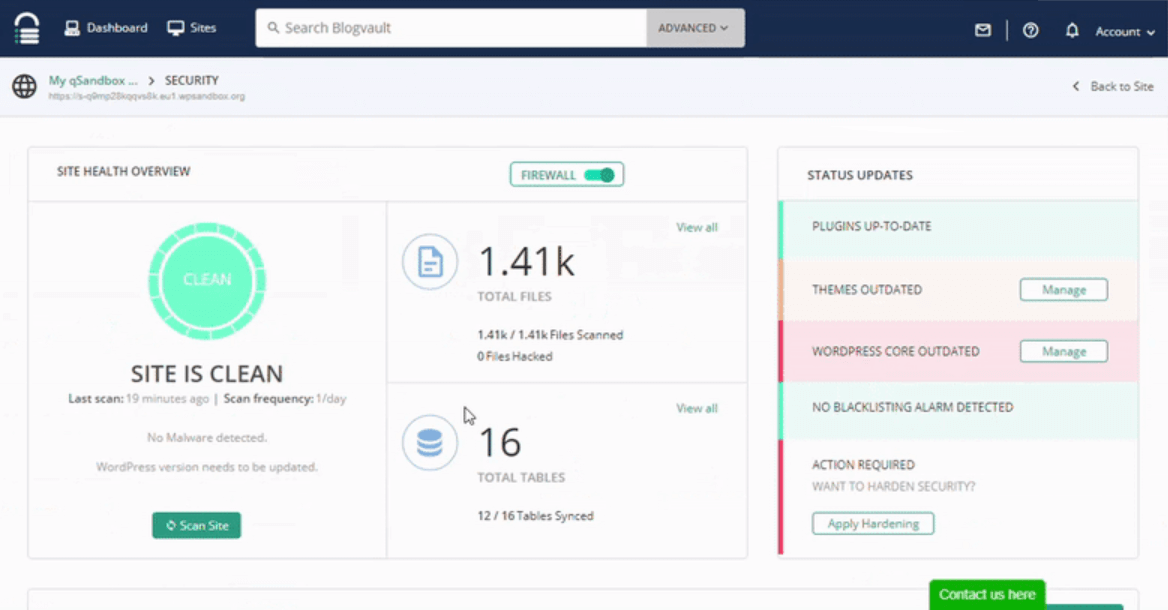
MalCare can do more than just check for malware. Its dashboard shows a lot of health information, like visitor stats and site load times, as well as atomic security alerts and advanced search and filtering for user actions.
MalCare also has a “set and forget” protection and maintenance experience, which includes daily automatic malware scans and a one-click malware eradication tool. Its real-time firewall protection keeps common web dangers like brute-force attacks and SQL injection at bay.
MalCare’s performance optimization tips assist make pages load faster and the site more responsive overall, which has a direct effect on user experience and SEO rankings.
Beyond security, MalCare’s performance optimization recommendations help improve page load times and overall site responsiveness, directly impacting user experience and SEO rankings.
Building an Online MIS: How to Use Monitoring Data to Get Useful Information

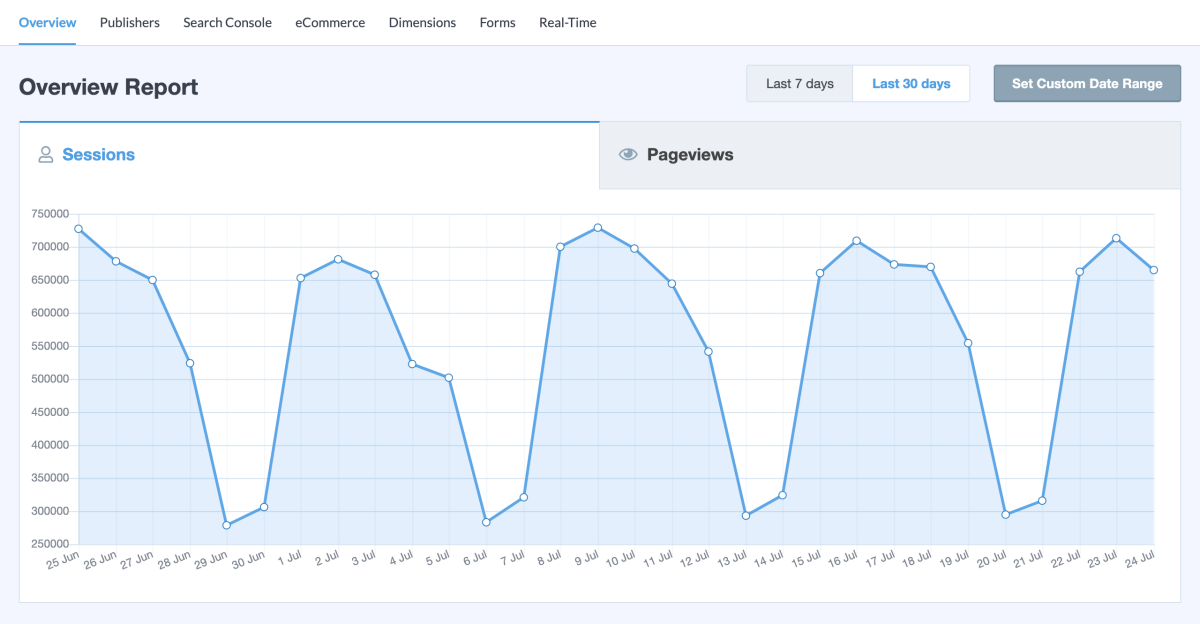
Online management systems are at their best when the information they gather helps people make better choices. Monitoring plugins keep an eye on the health of servers and networks, keep track of what users do, and work with analytics tools like MonsterInsights for Google Analytics to connect what’s going on behind the scenes with what visitors do.
For instance, when you use WP Activity Log with MalCare, you get:
- Alerts right away for outages or security threats.
- Detailed logs that make it easier to verify for compliance and fix problems.
- Your network health and plugin status are linked to performance benchmarks.
The actual benefit comes when this monitoring data isn’t merely collected, but also looked at in a way that helps people make decisions. These dashboards can show you patterns, like when certain plugin updates create downtime or when servers respond slowly during marketing campaigns.
Web teams can use these information to make smart changes, including changing when updates happen, upgrading hosting, or fine-tuning alert settings. This approach, monitoring data goes beyond just checking things to become a valuable instrument for continuing improvement. It helps sites run better and helps businesses make smart decisions.
Transform Your Operations: Achieving an Online MIS for Site Health
Web teams can build a custom online management dashboard by combining the right plugins. Web teams can construct their own online management dashboard if they have the necessary tools. This is how it acts:
- Use a maintenance mode plugin like SeedProd to let users know that your site is being worked on.
- With solutions like MalCare, you can check the health of your networks and servers in real time.
- With WP Activity Log, you can see everything a user does and any modifications they make to your site.
- By linking Google Analytics to MonsterInsights, you can learn vital things about visitors and sales.
This setup gives writers and business owners a complete view of how healthy their site is, which helps them make better decisions based on facts.
But real change happens when people use site health data to make decisions instead of just having it there. Web teams may detect and fix problems before they turn into outages by frequently checking this system for server resources, plugin performance, and user behavior.
It’s a good idea to check your site’s health scores often, use data to decide what changes to make, and set up automatic notifications for important metrics to make your online presence more stable and flexible. What happened in the end? A website that loads faster, is more trustworthy, and indicates that the business is up to date with technology.
Main Points to Remember
Utilizing a top-notch set of WordPress maintenance plugins and monitoring tools empowers web professionals to establish a robust online management system. Tools like SeedProd, CMP, and LightStart offer flexible ways to manage your site’s status, while WP Activity Log and MalCare provide detailed tracking of user activity and site performance.
MonsterInsights complete the picture by delivering real-time server health and analytics data. Together, these tools help keep your server and network running smoothly, providing the insights you need to make informed and confident decisions.
Final Insights
In 2026 and beyond, online management systems are about much more than just keeping your site up and running. They’re turning monitoring data into valuable business insights. Tools like SeedProd, WP Activity Log, and MalCare help you manage site maintenance, enhance security, and optimize performance with actionable analytics.
Using the best tracking and reporting tools allows web developers and business owners to keep things running smoothly, delight users, and maintain a healthy network. This demonstrates that modern website monitoring is a truly powerful strategic advantage.
About the Author

Dr. Imed Bouchrika – a Computer Science professor from the University of Southampton, UK, specializes in eLearning, image processing, and biometrics. He contributes to journals, conferences, and IT start-ups.